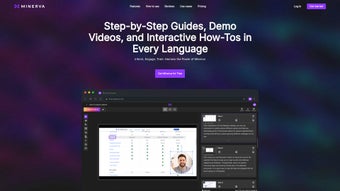

Download Minerva – AI‑Powered Documentation Automation Tool
Overview
Minerva is a next‑generation, AI‑driven documentation automation platform that reshapes how teams create, manage, and distribute product guides, walkthrough videos, and interactive tutorials. Built as a browser‑based solution, Minerva eliminates the friction of bulky installers while delivering a secure, cloud‑native workspace that scales from solo freelancers to enterprise‑level documentation squads. Its core promise is to turn raw product data—feature lists, UI screenshots, API specs—into polished, multilingual user guides with just a few clicks.
What truly distinguishes Minerva is its ability to generate personalized voice narration using the client’s own voice model, allowing businesses to maintain brand consistency across every tutorial or demo video. The platform also supports rich media embedding, conditional branching for interactive demos, and granular sharing permissions that keep confidential product information safe. Whether you’re a SaaS provider looking to onboard new users faster, a hardware manufacturer needing multilingual manuals, or an internal IT team seeking to streamline onboarding, Minerva’s AI engine reduces manual writing time by up to 80 %, cuts translation costs, and boosts user engagement through dynamic, voice‑driven experiences.
Because everything runs inside a secure browser sandbox, updates are automatic, security patches are applied instantly, and users always work with the latest feature set without the need for manual downloads or version control headaches. In short, Minerva combines the convenience of a web app with the power of generative AI, making documentation creation as effortless as publishing a social post.
Key Features of Minerva
- AI‑Generated Text & Layout: Automatic drafting of user guides, FAQs, and knowledge‑base articles based on product specifications or raw data inputs.
- Multilingual Support: Built‑in translation engine that produces accurate content in over 30 languages, reducing the need for external translators.
- Personalized Voice Narration: Upload a short voice sample and let Minerva synthesize a full‑length narration in the client’s own voice, ideal for brand‑consistent video walkthroughs.
- Browser‑Based Interface: No heavy installers; access the full suite from any modern browser on Windows, macOS, Linux, Android, or iOS.
- Interactive Demos & Branching Logic: Create clickable product demos with conditional steps that adapt to user choices, improving training effectiveness.
- Secure Sharing & Permissions: Granular role‑based access controls, password‑protected links, and expiration dates for shared documentation.
- Template Library: Pre‑designed templates for user manuals, release notes, onboarding kits, and compliance documents.
- Version History & Collaboration: Real‑time co‑authoring, change tracking, and rollback to previous versions for team collaboration.
- Analytics Dashboard: Track viewer engagement, completion rates, and voice‑over usage to refine content based on data‑driven insights.
- Auto‑Updates & Cloud Backups: Continuous improvement delivered instantly; all content is automatically backed up in the cloud.
Installation, Usage & Compatibility
Because Minerva is entirely browser‑based, the installation process is reduced to a single, secure sign‑up step. New users visit minerva.ai, click “Start Free Trial,” and create an account using an email address or single‑sign‑on (SSO) with Google, Microsoft, or Azure AD. Once authenticated, the dashboard loads instantly—no download, no local storage, and no background services. This design ensures that the tool works on any device that supports modern web standards (HTML5, WebGL, and WebAssembly).
Step‑by‑step usage guide:
- Project Creation: Click “New Project,” select a documentation type (e.g., user guide, video walkthrough), and import source material such as product specifications, screenshots, or API docs.
- AI Drafting: Choose the desired language and tone. Minerva’s language model analyses the input and generates a first‑draft outline, which you can edit directly in the rich‑text editor.
- Voice Narration Setup: Upload a 30‑second voice sample. The platform trains a custom voice model in the background (usually under 10 minutes) and then applies it to the entire script.
- Multimedia Enrichment: Drag‑and‑drop images, screen recordings, or SVG diagrams onto the document. Use the “Interactive Demo” builder to add clickable hotspots and branching paths.
- Review & Collaboration: Invite teammates via email, assign reviewer roles, and use the comment system to discuss changes in real time.
- Publish & Share: Choose a sharing method—public link, password‑protected URL, or embed code for your website. Set expiration dates or view limits for added security.
- Analytics Review: After publishing, open the Analytics tab to see how users interact with the guide, which sections they skip, and voice‑over completion rates.
Supported Operating Systems: Minerva runs on any device with a current version of Chrome, Edge, Firefox, or Safari, making it compatible with Windows 10/11, macOS 12+, Linux distributions, Android 9+, and iOS 14+. Because it is cloud‑hosted, there are no system‑specific resource constraints, and performance scales automatically with the user’s internet connection.
Conclusion, Pros & Cons, FAQ & Call‑to‑Action
Pros
- Zero‑install, browser‑only access reduces IT overhead.
- AI‑driven content creation slashes manual writing time.
- Multilingual output and custom voice narration boost brand consistency.
- Robust security features—including role‑based permissions and expiring links.
- Real‑time collaboration and version history streamline team workflows.
- Comprehensive analytics provide actionable insight into user engagement.
Cons
- Requires a stable internet connection; offline editing is not available.
- Advanced voice‑model training may take a few minutes for large corpora.
- Pricing tiers above the free plan can be steep for very small businesses.
- Custom template design may need a learning curve for non‑designers.
Frequently Asked Questions
Is Minerva truly free to use?
Minerva offers a 14‑day free trial with full feature access. After the trial, a subscription is required, though a limited‑feature free tier remains available for occasional users.
Can I export the generated documentation?
Yes. Docs can be exported as PDF, HTML, or Markdown. Video walkthroughs can be downloaded as MP4 files, complete with the custom voice‑over.
How secure is the shared content?
All data is encrypted in transit (TLS 1.3) and at rest (AES‑256). You can set password protection, expiration dates, and granular viewer permissions to ensure only authorized users see the content.
Does Minerva support integration with existing CMS or ticketing tools?
Yes. Minerva provides RESTful APIs and native webhooks for popular platforms such as Confluence, SharePoint, Zendesk, and Jira, allowing seamless content sync and automated ticket generation.
What languages does the AI engine support for translation?
The translation module covers over 30 languages, including major European, Asian, and Middle‑Eastern languages. New languages are added quarterly based on user demand.
In summary, Minerva delivers a powerful blend of AI‑generated documentation, multilingual capability, and personalized voice narration—all within a secure, zero‑install environment. For teams that need to produce high‑quality guides quickly and keep them consistent across markets, Minerva is a compelling investment. Ready to experience the future of documentation? Start your free trial today and see how AI can transform your knowledge‑base into an interactive, voice‑enabled experience.






